
Download Minecraft Classic – Free Retro Minecraft Browser Game
Overview
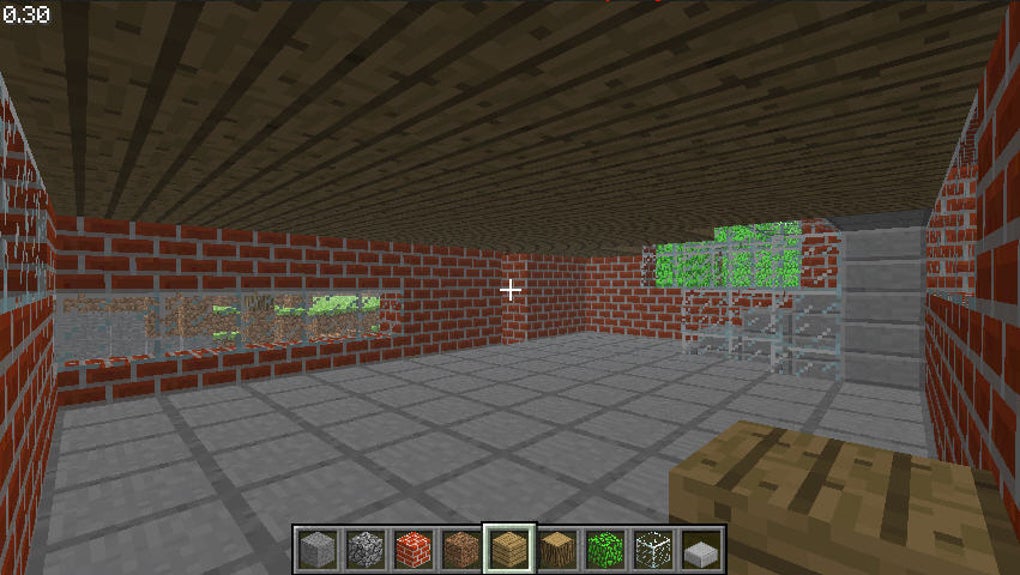
Minecraft Classic is the original sandbox prototype that launched Mojang’s block‑building empire back in 2009. Unlike the modern, feature‑rich versions of Minecraft, Classic offers a stripped‑down experience that runs directly in a web browser, making it instantly accessible on Windows, macOS, and Linux without any installation hassles. The game provides the core creative‑mode feel that made the franchise famous: you can place, remove, and rearrange 32 basic block types—stone, dirt, grass, wood, sand, gravel, sponge, cobblestone, and a few others—while exploring an infinite, blocky landscape.
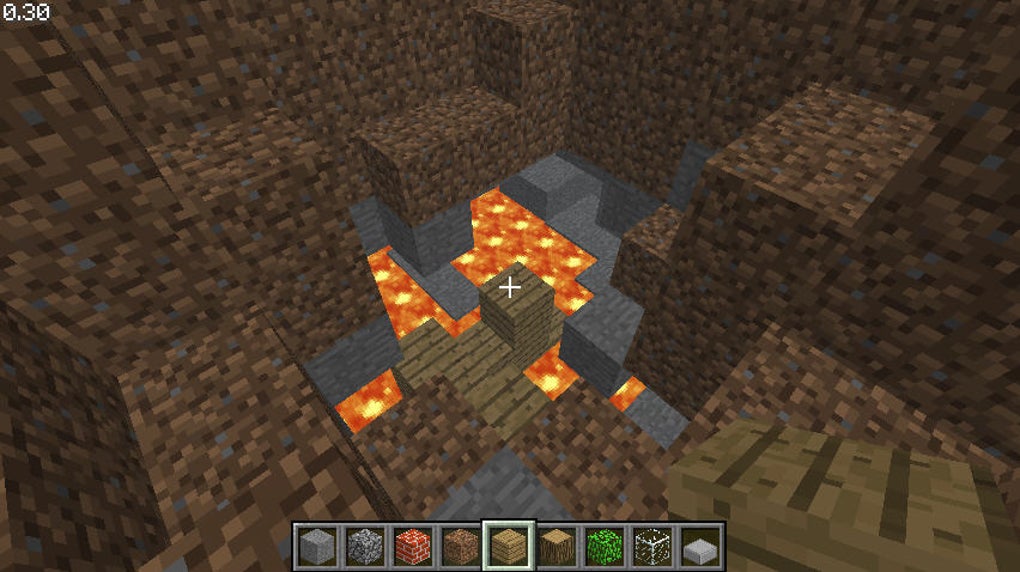
Though it lacks health, hunger, armor, and survival mechanics, Classic shines as a pure building sandbox where fall damage, drowning, and enemy threats are nonexistent. This minimalist design encourages players to focus on architecture, geometry, and collaborative creation, especially thanks to its multiplayer support that lets friends join the same world via a shared URL. While the graphics are unmistakably retro and the physics retain early‑era quirks (water and lava flow infinitely, sand and gravel fall), these characteristics also open up creative exploits that seasoned fans love.
In short, Minecraft Classic is a nostalgic, free, and secure way to revisit the foundation of one of gaming’s biggest phenomena, offering both veteran players a trip down memory lane and newcomers a risk‑free introduction to the block‑building concept.
Core Features & Gameplay Mechanics
- Free, browser‑based access – no download required.
- Multiplayer support via shareable links for collaborative building.
- 32 classic block types including stone, dirt, wood, sand, gravel, and more.
- Instant creative mode with unlimited block placement and removal.
- Classic physics: water and lava flow endlessly; sand and gravel obey gravity.
- Simple UI with left‑click to destroy and right‑click to place blocks.
- Cross‑platform compatibility for Windows, macOS, and Linux browsers.
- Historical preservation of the original 2009 prototype.
Beyond the list, Minecraft Classic’s gameplay centers on unrestricted creativity. Because there is no health bar or survival constraints, players can experiment with massive structures without fear of dying. The limited palette of blocks forces designers to think critically about composition, texture contrast, and spatial relationships, often resulting in surprisingly elegant builds.
Multiplayer sessions are especially rewarding; a single URL opens a shared world where each participant can instantly see and modify the other's work in real time. While modern Minecraft offers sophisticated lighting, shaders, and a vast inventory, Classic’s raw aesthetic and straightforward controls make it a perfect sandbox for quick brainstorming, teaching basic building concepts, or simply enjoying a nostalgic block‑by‑block adventure. The game’s physics quirks—like infinite water spread—can be leveraged to create waterfalls, moats, or even hidden traps, adding an unexpected layer of strategic depth for those who enjoy tinkering with the engine’s original bugs.
Installation, Compatibility & Pros / Cons
How to Start Playing
Since Minecraft Classic runs as a web app, the “installation” process is essentially a single click. Navigate to the official Minecraft Classic page on classic.minecraft.net, choose “Start Game,” and the browser will load the HTML5 version automatically. No additional plugins, Java, or Flash are required—just a modern browser (Chrome, Firefox, Edge, or Safari) with JavaScript enabled. For multiplayer, copy the generated URL and share it with friends; each participant clicks the link to join the same world instantly. If you prefer a desktop shortcut, most browsers let you drag the URL to your desktop or create a shortcut that opens the game in a dedicated window.
System Requirements & Operating System Support
Minecraft Classic is lightweight and runs on virtually any device capable of rendering WebGL. Minimum requirements include a dual‑core CPU, 2 GB RAM, and a graphics chip supporting OpenGL 2.0 or higher. It works on Windows 7 and newer, macOS 10.10 and later, and most Linux distributions with a recent kernel. Mobile browsers are not officially supported, but tablets running Chrome or Safari can load the game if they meet the WebGL criteria.
Pros and Cons
- Pros:
- Completely free and requires no download.
- Instant access from any modern browser.
- Pure creative sandbox without survival distractions.
- Multiplayer collaboration via shareable links.
- Lightweight – runs smoothly on older hardware.
- Cons:
- Only 32 block types limit design variety.
- No save system – worlds disappear when you close the tab.
- Absence of modern features like lighting, shaders, or mobs.
- Physics bugs can be frustrating for new players.
- Not optimized for mobile devices.
Overall, Minecraft Classic offers a nostalgic yet functional sandbox that is perfect for quick creative sessions, teaching basic building concepts, or revisiting the roots of a gaming legend.
Frequently Asked Questions & Conclusion
Is Minecraft Classic really free?
Yes. Minecraft Classic is offered at no cost by Mojang and can be played directly in a web browser without any purchase or subscription.
Can I save my creations?
The classic version does not include a save feature. When you close the browser tab, the world is lost. However, you can take screenshots or record your session to preserve your builds.
Do I need a powerful computer to run Minecraft Classic?
No. The game is very lightweight and runs smoothly on most older PCs, laptops, and even some tablets that support WebGL.
How do I play with friends?
Simply click “Start Game,” copy the generated URL, and share it. Anyone with the link can join the same world instantly, allowing collaborative building.
Is Minecraft Classic compatible with modern browsers?
Yes. It works on the latest versions of Chrome, Firefox, Edge, and Safari, provided JavaScript and WebGL are enabled.
Conclusion – Why You Should Try Minecraft Classic Today
If you’re looking for a risk‑free, free, and instantly accessible slice of gaming history, Minecraft Classic delivers exactly that. Its minimalist toolbox forces creativity, its multiplayer link makes group projects effortless, and its low system demands mean you can start building in seconds. While it lacks the depth of modern Minecraft, the experience is perfect for quick brainstorming sessions, teaching the basics of block placement, or simply reliving the early days of the sandbox genre. Download Minecraft Classic now, share the link with friends, and rediscover the joy of building without limits.



.png)



